Best Free AI Detector for Students in 2026 — Check Your Essay Before Submitting
Use an AI detector to check your own essay before submission. We explain what schools actually see, how to interpret results, and which free tool gives you the most accurate pre-submission check.
Zoe Parker
Founder & Lead AI Research Scientist, QuillBotAI Pro
NLP Specialization
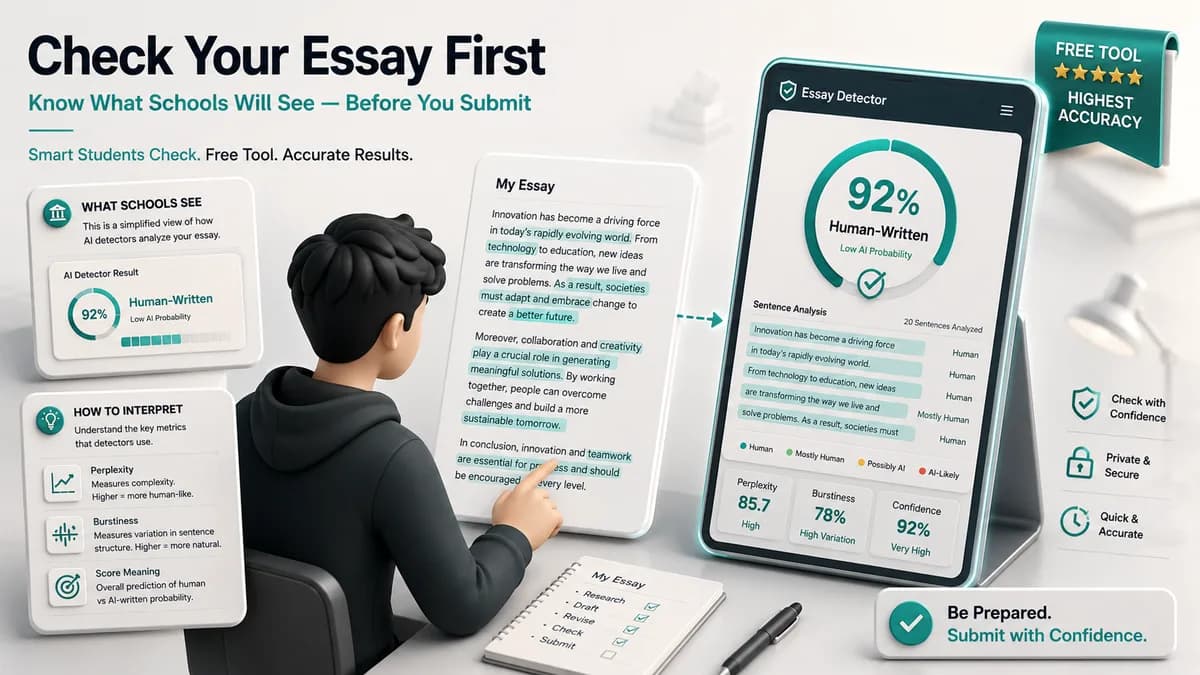
If your school uses Turnitin, GPTZero, or any AI detection system, you can run the same kind of check yourself — before you submit — to see what your professor will see.
This guide explains what detectors actually measure, how to run a pre-submission check properly, and what to do if genuinely human-written work comes back with a high AI score.
Why Check Your Essay with an AI Detector Before Submitting?
Scenario 1: You used AI for research, but wrote the final draft yourself. You used ChatGPT to summarize sources or brainstorm ideas, then wrote the essay yourself. The problem: your writing style may have absorbed patterns from the AI summaries you read. A detector can flag your "human" final draft simply because you internalized AI phrasing.
Scenario 2: You're a non-native English writer. If you write in formal, structured academic English as a second language, some detectors will flag your work as AI-generated — even if you wrote every word yourself. Formal ESL writing shows the same low-burstiness, low-perplexity patterns as AI output. Knowing this in advance lets you address it before it becomes a problem.
Scenario 3: You want peace of mind. Even if you wrote entirely by hand with zero AI involvement, a pre-check shows you what your school's system might flag. Better to know now than to get blindsided during an integrity review.
How to Check Your Essay for AI Detection
Step 1: Open the free AI detector. No account needed — paste and scan immediately.
Step 2: Paste your full essay. There's no word limit, so paste the complete text. Don't check it in sections — splitting the text throws off the burstiness analysis.
Step 3: Run the scan. Results take 3–8 seconds depending on essay length.
Step 4: Read the sentence-level heatmap. Red sentences are flagged as high-confidence AI, yellow as moderate, green as clean.
Step 5: Interpret the overall score in context — see the guide below.
How to Interpret Your AI Score
Score Under 20%: Clean
Most schools use threshold-based flagging — typically 20% or higher triggers review. A score under 20% means your writing is statistically consistent with human authorship across the metrics the tool uses.
Score 20–50%: Moderate — Review Flagged Sections
This range usually means specific passages show AI-like patterns, even if most of your writing is clearly human. Look at what's highlighted in yellow or red — these are the segments your professor's tool is most likely to catch.
For each flagged segment, ask:
- Did I paraphrase an AI summary here?
- Is this section more formal and uniform than the rest of my essay?
- Does this paragraph have less sentence-length variety than the others?
Revise flagged segments by adding personal perspective, concrete examples from your own reading, or deliberate sentence-length variation.
Score 50–80%: High — Significant Revision Needed
A score in this range means a substantial portion of your essay carries statistical patterns consistent with AI output. That doesn't prove you used AI — but it's what an academic integrity system will see. Revise the red-highlighted sections thoroughly.
Score Above 80%: Very High
A score above 80% means the text is highly consistent with AI-generated writing. If you wrote this yourself, it needs significant revision. If sections were AI-drafted and you edited them, the editing didn't go deep enough to change the underlying statistical patterns.
Why Your Human Essay Might Score High (And What to Do)
Reason 1: You Absorbed AI Phrasing Into Your Own Writing
Read several ChatGPT summaries while researching, and you may unconsciously pick up AI phrasing patterns — especially in opening sentences ("In today's world...") and transitional phrases ("It is important to note that...").
Fix: Search your essay for these phrases and swap in your own voice. If you wouldn't say it out loud to a friend, it's probably an absorbed AI phrase.
Reason 2: Your Academic English Is Formal and Structured
Writing in a second language, or following a highly structured academic format, tends to produce low burstiness — which detectors read as AI-like.
Fix: Add deliberate sentence variation. Break up uniform, medium-length sentences with the occasional short one. Drop in a sentence or two written in a more direct, personal register. This shifts the burstiness metric without touching your argument.
Reason 3: You're Summarizing Sources Without Adding Your Voice
Summary-heavy writing sounds AI-like because it skips the analytical, opinionated layer that separates human synthesis from machine summarization.
Fix: After every major summary section, add a sentence that states your own read on it: "What this means for my argument is...", "I find this claim convincing because...", "The limitation here is..."
Which AI Detector Gives the Most Accurate Pre-Submission Check?
The ideal pre-submission tool mirrors whatever your school actually uses. If your school uses Turnitin, the ideal tool is Turnitin — but students can't access it independently.
The best independent alternative is QuillBotAI Pro:
- It measures the same signals institutional tools measure — perplexity-style predictability, sentence-length uniformity, model-typical phrasing. If your draft reads clean here, you've addressed what institutional detectors look for.
- Calibrated for non-native English. It's designed not to treat plain, formal English as automatic evidence of AI, so you're less likely to get an unnecessary scare if English isn't your first language.
- Sentence-level heatmap. Tells you exactly what to fix — not just whether you have a problem, but where.
- No word limit. Paste your entire essay at once — full-text analysis is more accurate than checking it in sections.
- Free, no signup. Use it before every submission with zero ongoing cost.
Important: What to Do If Your Genuinely Human Work Gets Flagged
If your school's detector flags work you know you wrote yourself, here's what to do:
Document your writing process. Google Docs keeps version history. Word tracks changes. Screenshots of drafts at different stages show a writing process AI doesn't have. Save this before you submit.
Request a meeting before any outcome is decided. You have the right to explain your work. Bring your draft history. Walk through your writing process. AI detector output isn't conclusive evidence — it's one data point, and academic institutions are increasingly aware of its limits.
Point to the ESL false-positive research. If you're a non-native English writer, this is documented and widely discussed — see our deep-dive on AI detector false positives and ESL writers. Universities in the UK, US, and Australia have revised their AI detection policies specifically because of ESL false-positive rates. Your institution's policy may already account for this.
Ask which tool was used and what score it produced. You have the right to know the specific evidence being used against you. A 35% score sitting right at a borderline threshold is a different conversation than a 92% score. The specific tool matters, too — false-positive rates vary wildly between them.
FAQ
Can students use AI detectors to check their own essays? Yes — and it's worth doing before submitting to any institution that uses AI detection. QuillBotAI Pro is free, requires no account, and gives you sentence-level analysis showing exactly which parts of your essay might trigger a flag.
What AI score is considered "flagged" by schools? Thresholds vary by institution and tool. Most commonly: scores above 20% trigger review, and scores above 50% may trigger formal investigation. These aren't universal — check your school's actual policy.
My essay is human-written but scores 40% AI — why? A few things can push AI scores up in genuinely human writing: absorbed AI phrasing from research, formal ESL academic patterns, heavy source summarization with limited personal voice, or uniform sentence structure. See the revision guide above for the specific fix for each.
Does QuillBotAI Pro work the same way as Turnitin's AI detector? Both run statistical text analysis (perplexity, burstiness, distribution modeling), but they're different implementations. QuillBotAI Pro approximates institutional tools closely enough to be useful for pre-checking, but results won't necessarily match what Turnitin produces on the same text exactly. See our free Turnitin alternatives guide for a fuller comparison.
Is it cheating to use an AI detector to check your own essay? No. Checking your writing with an AI detector before submission isn't academically dishonest — it's equivalent to running a grammar check. A quality-assurance step, not a way around academic standards.
If you've already been flagged, read our step-by-step guide to responding to a false accusation. Also useful: what a detector score can actually establish, and how AI detection works.
Topics
Written & Reviewed By Experts
Zoe Parker
AuthorFounder & Lead AI Research Scientist, QuillBotAI Pro
NLP Specialization · DeepLearning.AI via Coursera (2024–2025)
Zoe is the founder of QuillBotAI Pro and leads its detection research. Her work focuses on computational linguistics and identifying how large language models produce text.
Editorial policy: All QuillBotAI Pro articles are written by domain experts, independently peer-reviewed, and updated as new research emerges. We never accept sponsored content that influences editorial conclusions.